
User guideLog in

Service ERP

Your service business,moving in one system

Front desk, technicians and owners work from the same records, from intake to payment

Front desk takes jobs and sends quotes in minutes Technicians know exactly what’s next Customers track jobs and approve quotes on their phone Cash closes to the baht, every day Owners see revenue, profit and SLA on one screen

30-day free trialNo card requiredThen ฿199/month

  • Rated by real businesses4.7(14)
  • Customer reviews
  • Enterprise security
  • Guided setup
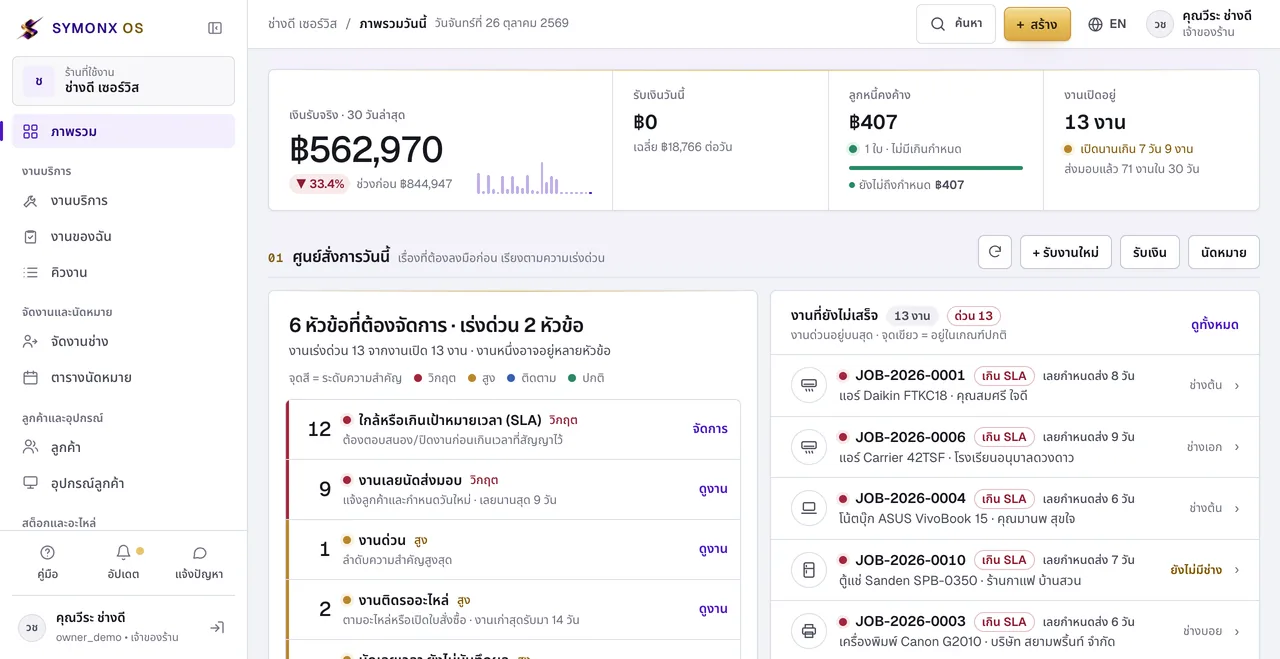
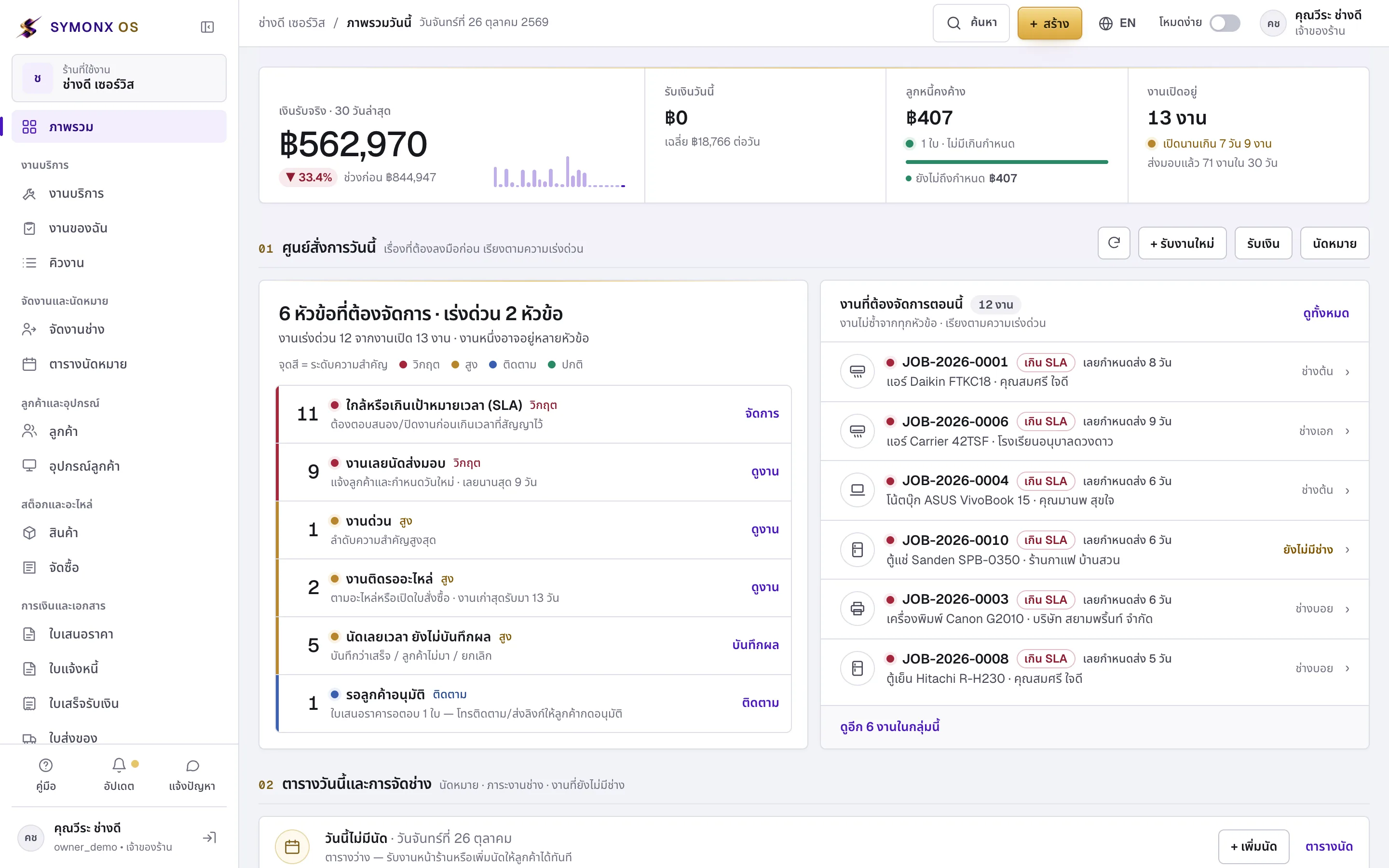
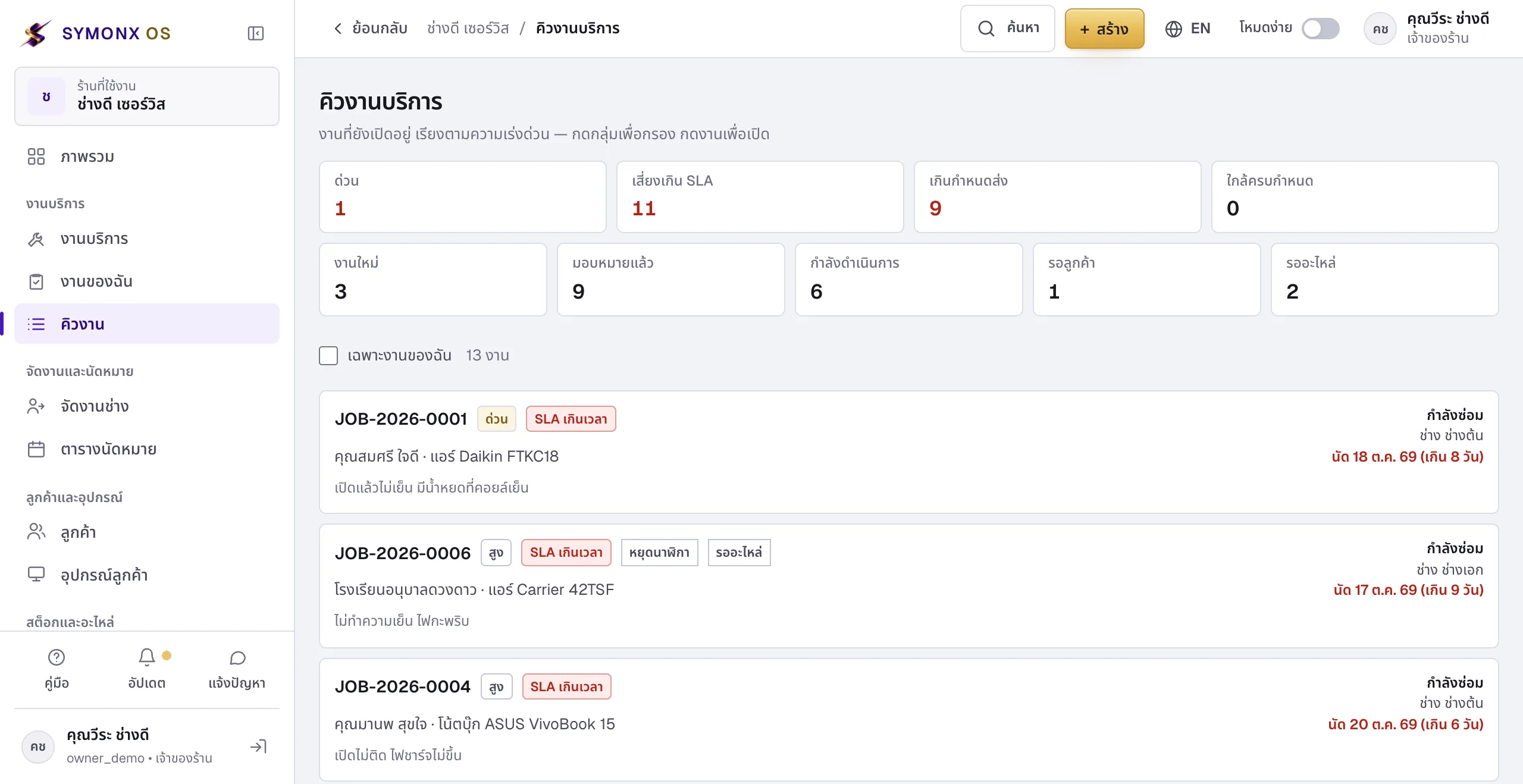
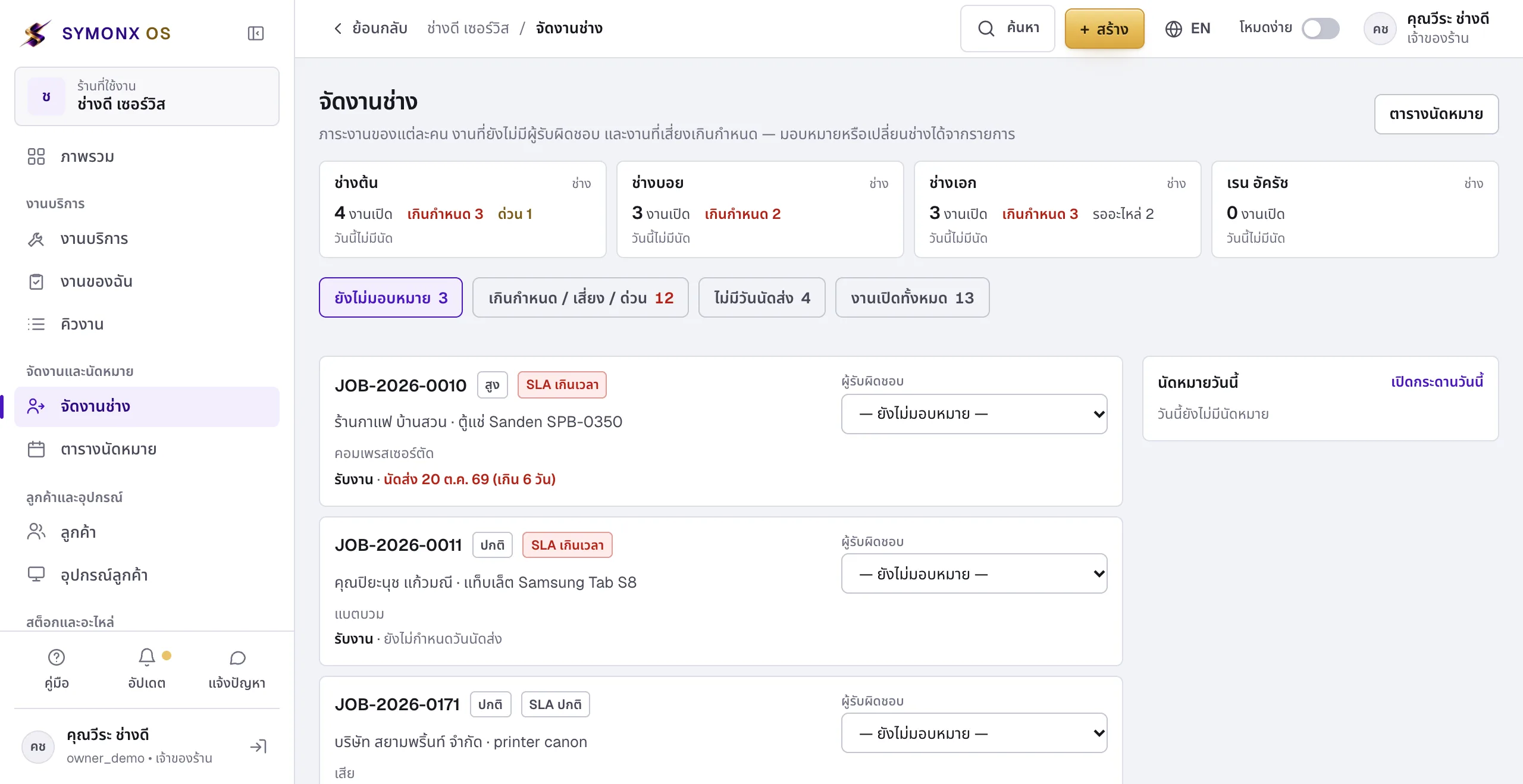
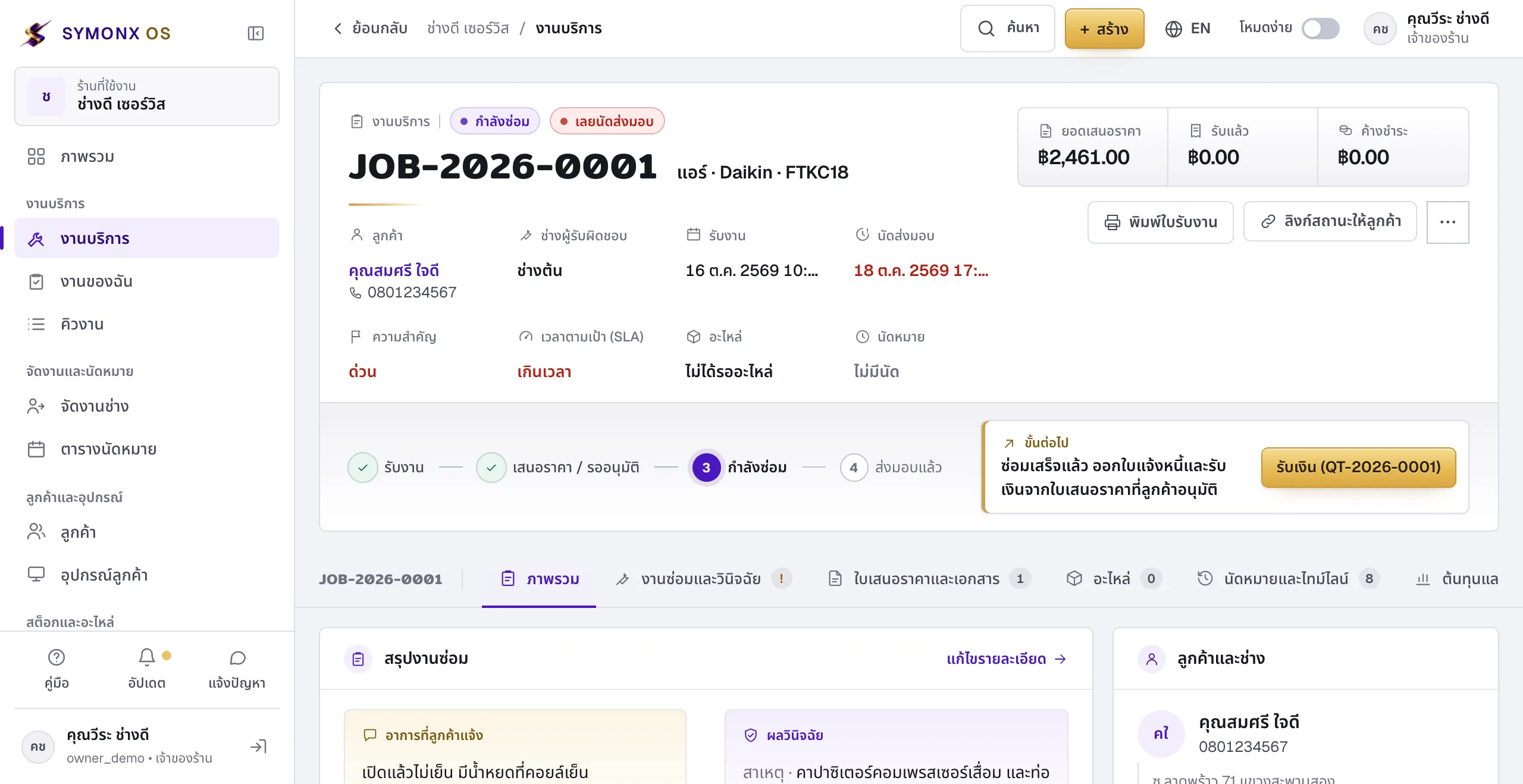
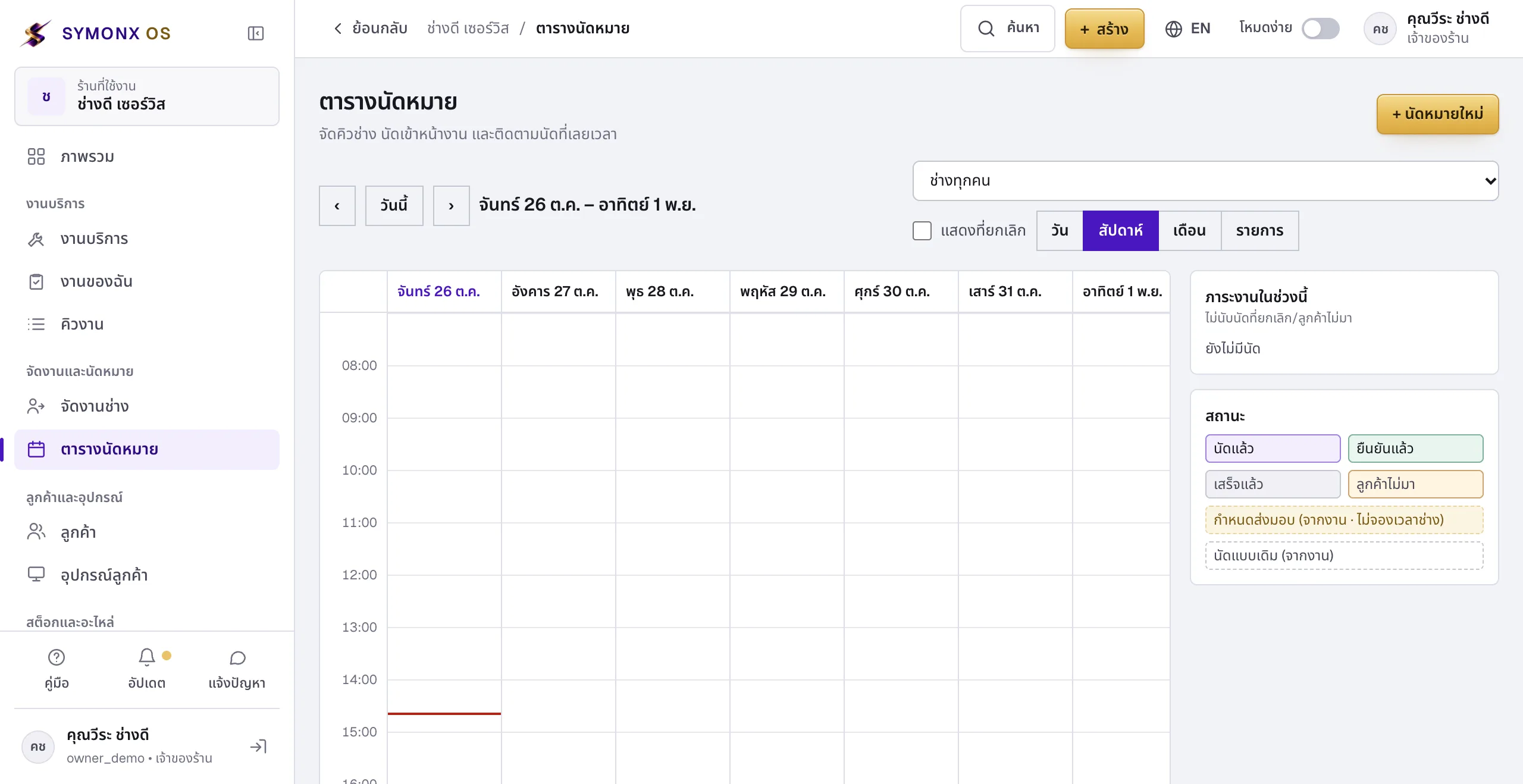
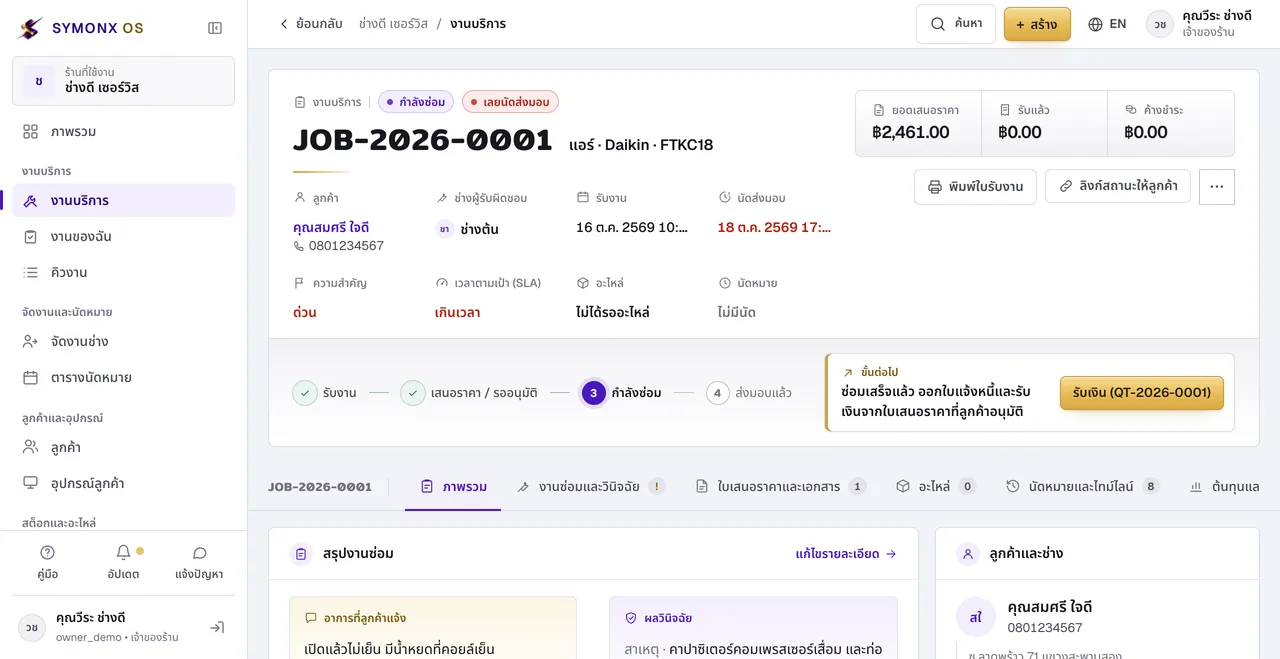
SYMONX OS Overview screen (demo shop, interface in Thai)SYMONX OS Queue screen (demo shop, interface in Thai)SYMONX OS Dispatch screen (demo shop, interface in Thai)SYMONX OS Job screen (demo shop, interface in Thai)SYMONX OS Schedule screen (demo shop, interface in Thai)
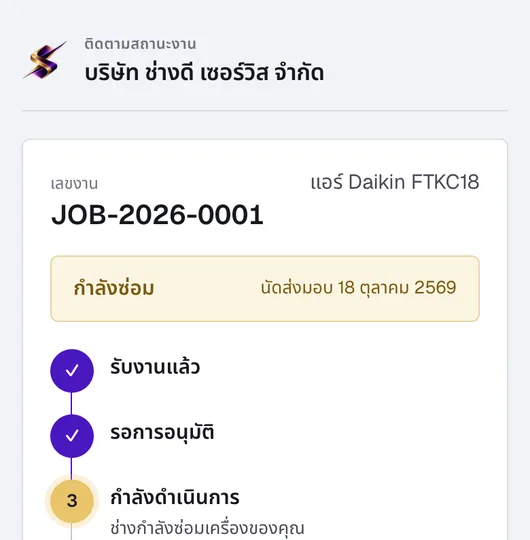
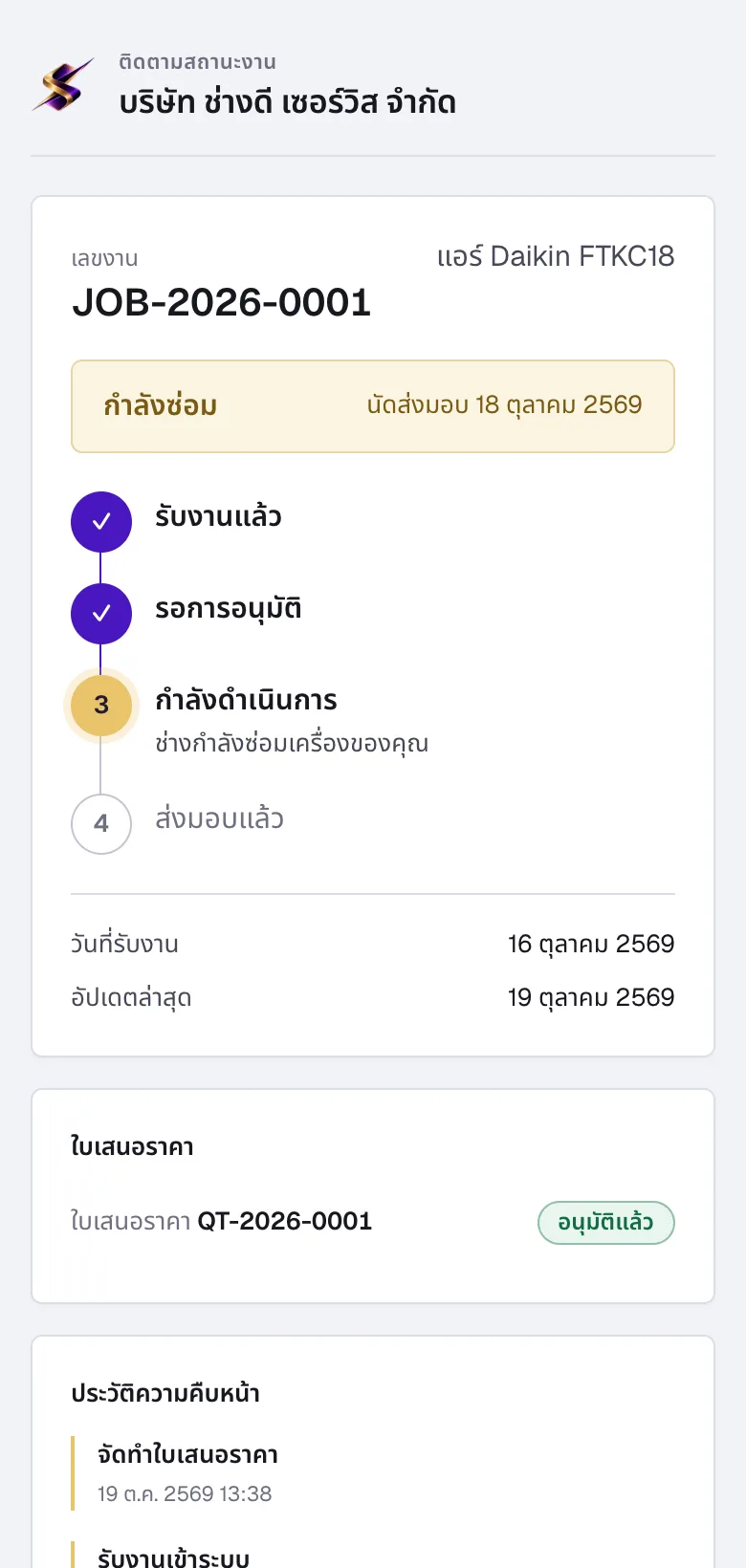
Customer job-tracking link on an iPhone (demo data, interface in Thai)
Evidence from the live system

Your shop’s data stays safe and every line can be traced

Other shops can’t see your data. Every edit carries a name and a time. Customers see the status the system records, not a status someone typed. The examples below come from a demo shop on the same system you’ll use.

01Shop privacy

Your shop’s data is invisible to other shops

Every request is tied to the shop of the signed-in account, not to anything the web page sends, so another shop’s data can’t be requested even with its job number.

Shop A
JOB-2026-0001
Somsri Jaidee
Shop B
JOB-2026-0001
Same number, separate shop
A Shop A user opens a Shop B job
Not found, no data crosses shops
Link a Shop A job to a Shop B customer
Rejected by the database, not saved
A Shop A user opens a Shop A job
Allowed, within the user’s role
How we verify it: An automated test creates Shop A and Shop B, then has Shop A try every way to read, edit and delete Shop B’s data. All attempts must be refused and Shop B’s data must stay unchanged. The database adds a second guard against cross-shop links.
How data isolation works (Thai)

02Edit history

Every change records who made it and when

Taking in a job, issuing a quote, changing a status, receiving a payment, each is written to the shop’s history. Even a customer approving through their link is recorded separately.

  1. front_prae
    Job received JOB-2026-0001 air conditioner, Somsri Jaidee
  2. front_prae
    Quotation created QT-2026-0001 total ฿2,461.00
  3. front_prae
    Quotation sent DRAFT → SENT
  4. Customer (tracking link)
    Price approved SENT → APPROVED
Excerpt from the demo shop’s edit history (sample data)
How we verify it: The history table is append-only: the database itself rejects any attempt to edit it, and tests confirm that every important action really writes to the history.
What the system records (Thai)
03Job status tracking

Customers follow progress themselves, with timestamps no one can fake

Whenever a job’s status changes, the database records the time in the same step. The customer’s link shows the same stages the shop sees, without costs or internal notes.

Customer tracking link for JOB-2026-0001 showing “In repair” (demo shop, interface in Thai)
  1. Received16 Oct 10:37
  2. Awaiting approval17 Oct 23:47
  3. In repair19 Oct 12:58
  4. Handed overPending
How we verify it: Status timestamps are written by the database in the same transaction as the change, if the record can’t be saved, the status change doesn’t happen. Shops can revoke a link and the old one stops working at once.
See the customer link screens

Every example comes from a demo shop on the live system, not from real customers, this page contains no invented reviews, user counts or customer logos.

One job, seven stages, nothing lost on paper

This is how a job moves through your shop

Real screens from the system, step by step, from the moment a customer puts a device on the counter to the next on-site visit. Pick a step, use the arrows, or let it play.

Most repair shops run on word of mouth, the front desk writes on paper, technicians ask in LINE, and the owner checks the numbers late at night. The same details get retyped several times and something slips through. SYMONX OS puts everyone on the same job ticket: what the front desk records, the technician sees at once; what the technician records, the customer sees on their own link; and every baht received is tied back to the job it came from.

7
stages from check-in to the next visit
3
roles, each seeing only what it needs
1
job ticket, nothing retyped
Step 01 · Front desk

Check the device in, get a job number instantly

Enter the customer, device, serial number, reported fault and any accessories. The system issues a job number and prints an intake slip for the customer to sign. The job page always tells you what happens next.

  • Seen this device before? Its repair history by serial number appears right away
  • Set the priority and promised date, the system tracks time against the target (SLA)
  • Every status change is logged with who and when, so you can look back
01 / 07
Job ticket JOB-2026-0001 showing the progress bar, next step, priority and SLA (interface in Thai)
Made for technicians, fits every trade

Skilled hands
deserve the best tools

The air-con tech on the rooftop, the board tech under the magnifier, the installer at the customer’s door, the supervisor juggling the queue and the owner closing the books at 9 p.m., SYMONX OS is designed around the real work of everyone in the shop, from air conditioners, computers and phones to printers, CCTV and home appliances.

“We’re a small shop and won’t use half the features. Why bother?”

It’s the question we hear most. The short answer: small shops are hurt most by things that slip through the cracks, because every job passes through one pair of hands.

Works for a one-person shop
No team or setup needed, just press “New job”. The system remembers who brought in what, when it’s due, and how much is still owed.
Don’t use it? Don’t see it
Turn on Easy mode and unused menus tuck away under “More”, leaving just jobs, customers, bills and money on screen.
One price as you grow
฿199 a month for every feature. When you add technicians, stock or on-site visits, it’s already there, no data migration, no extra fees.
Air-conditioning technician in a mask inspecting a condenser on a rooftop01 / 18
Air-con, on site

On the rooftop, still knowing what’s next

Open “My work” on a phone to see today’s appointments in time order with the site address, and call the customer straight from the appointment card.

  • Overdue appointments that aren’t closed are flagged
  • Log the visit result: done / customer not home
  • No access to the shop’s money figures
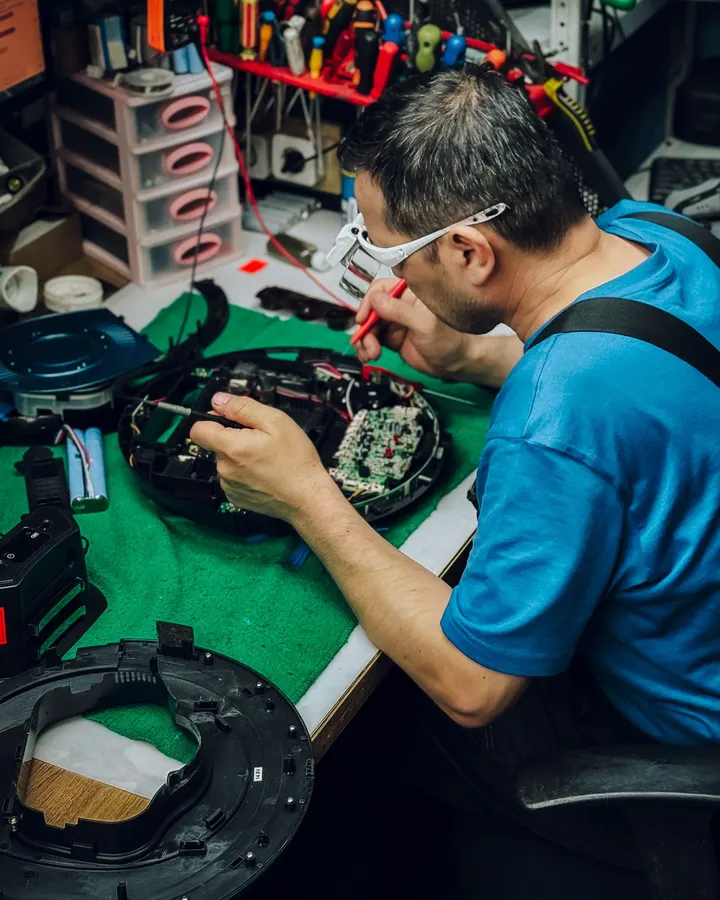
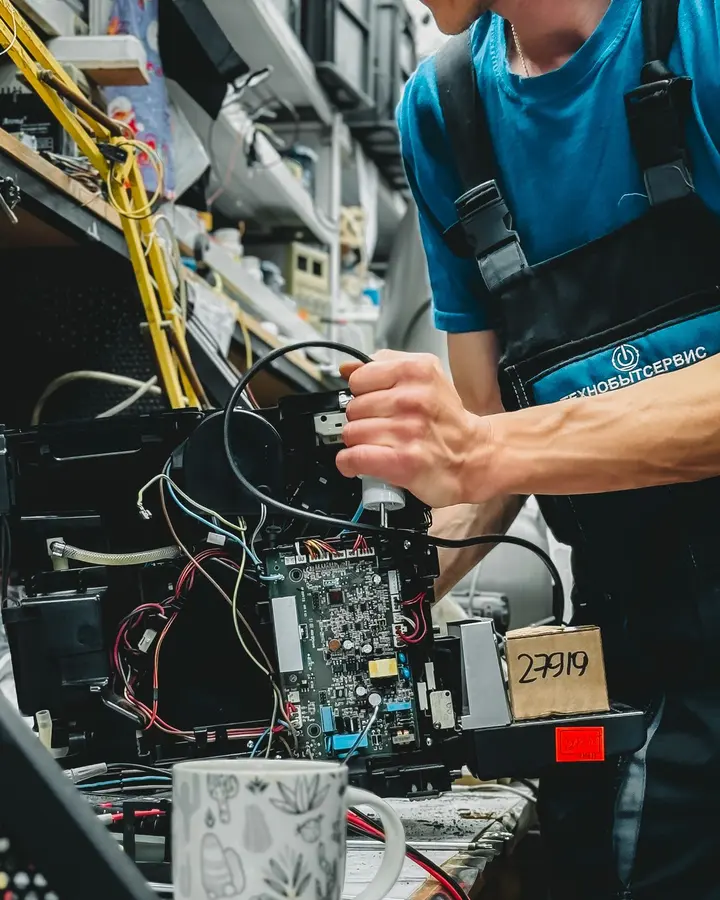
Technician in safety glasses repairing a circuit board at the bench02 / 18
Electronics

Write it once, use it shop-wide

The cause found and the fix applied are stored with the job ticket and searchable in the knowledge base. When the same fault turns up, the next technician doesn’t start from zero.

  • Required checklist items, no handover until done
  • Same device, same fault within 90 days: alerted
  • Repair history by device serial number
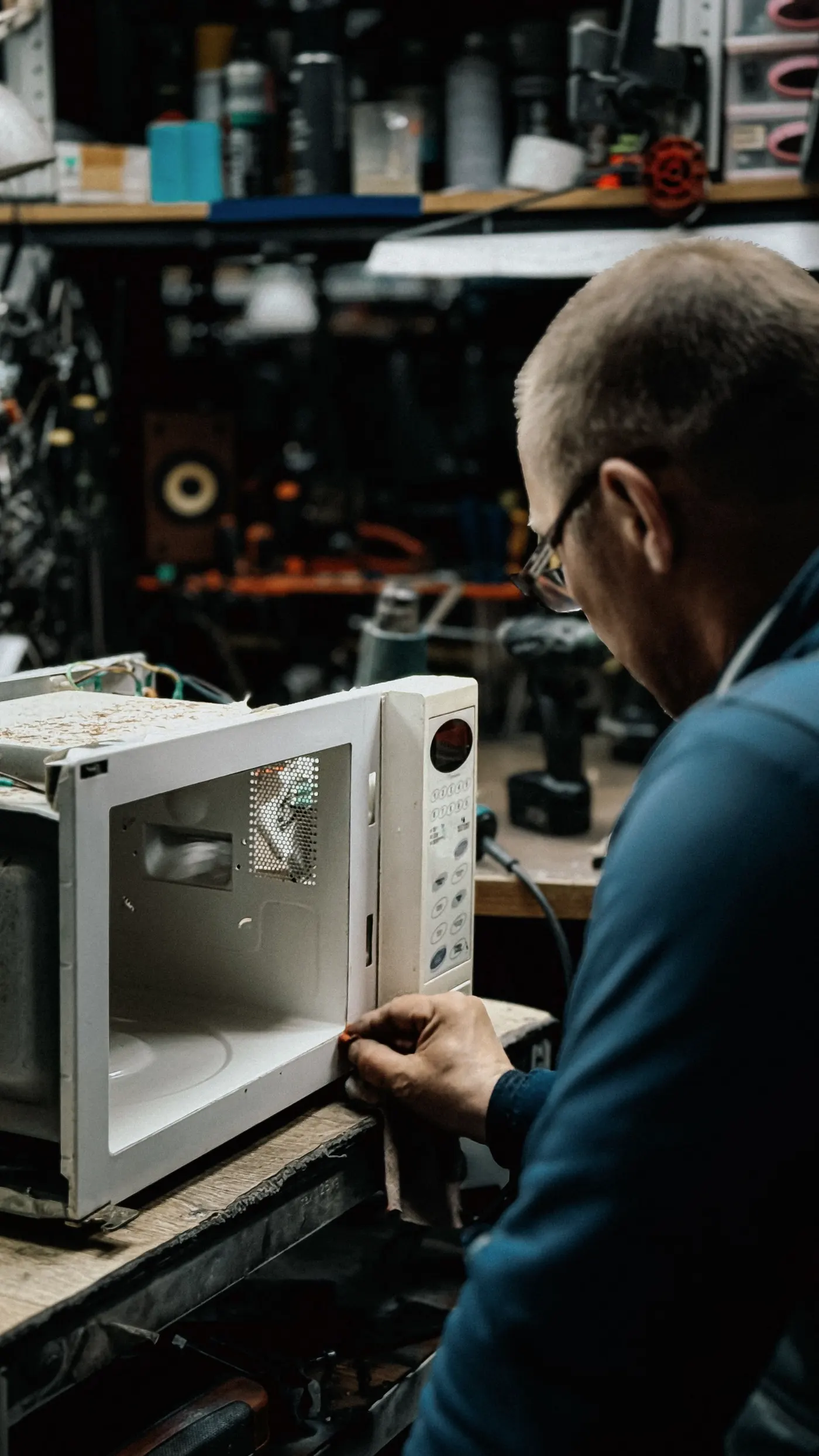
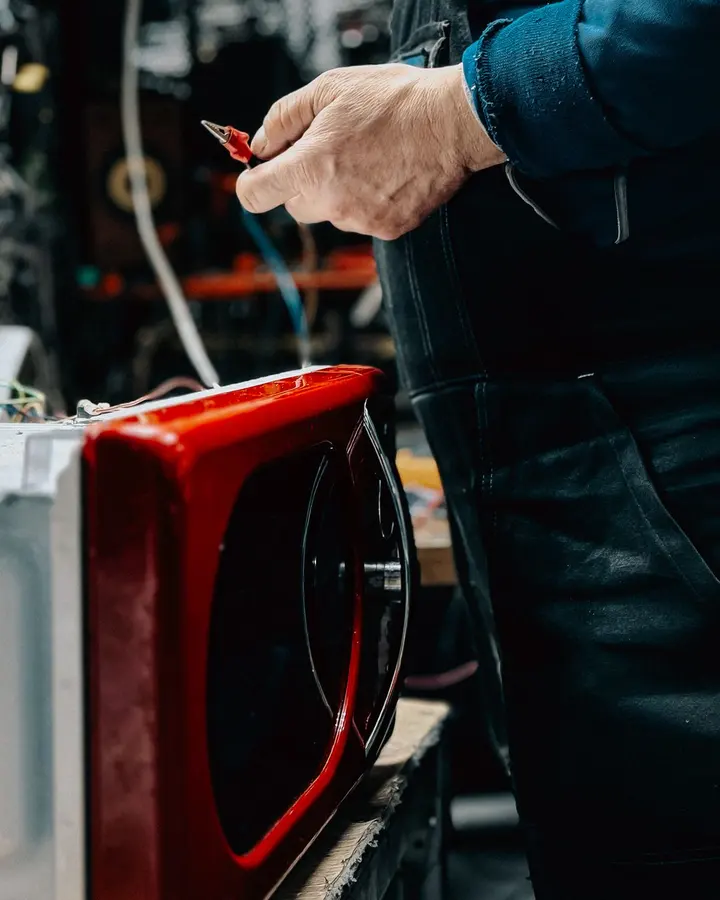
Technician inspecting a microwave at the repair bench03 / 18
Appliances

Withdraw a part, and stock updates itself

Pick parts from stock straight into the job. On-hand quantity drops and the part cost is recorded against the job, so that job’s profit is calculated from real numbers.

  • Low stock is flagged on the overview
  • Receive purchase orders in partial deliveries
  • Every stock movement can be traced
Installer fitting an air conditioner at a customer’s home with a power screwdriver04 / 18
Installation

On-site appointments that never clash

The supervisor books technicians on the day or week view. If a time overlaps an existing booking, the system won’t save it and immediately suggests the next free slot.

  • Customers see their appointment on the tracking link
  • Cancelling an appointment always needs a reason
  • Each technician’s workload on one screen
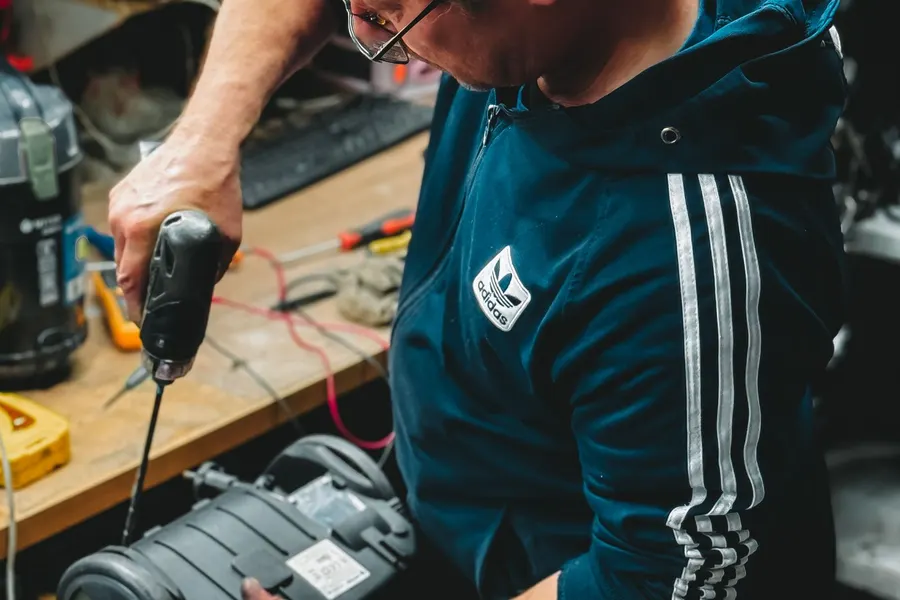
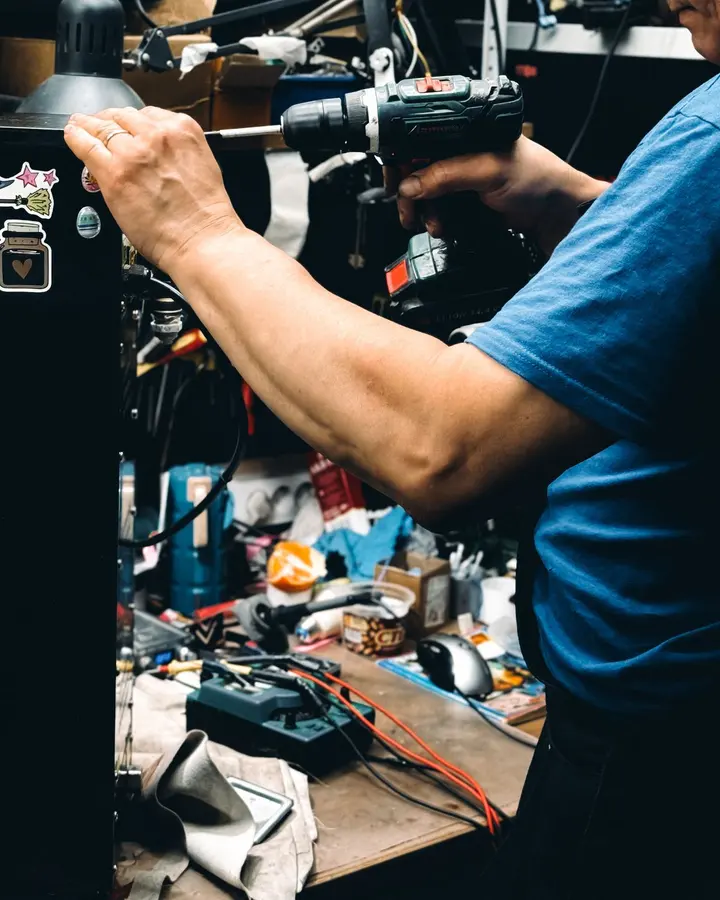
Technician using a cordless drill at the workbench05 / 18
Head technician

Assign the team’s work without shouting

The dispatch page shows who holds how many jobs, which jobs have no one assigned and which are overdue, then assign or reassign right from that list.

  • Urgent and overdue jobs rise to the top
  • Two people assigning at once can’t overwrite each other
  • Every assignment is logged
Shop owner working at a desk in the workshop with a laptop06 / 18
Shop owner

Close the day at 9 p.m., accurate to the baht

Cash actually received is kept apart from invoiced totals, receivables are split by due date, and per-job profit uses the costs you really recorded, no waiting for month-end or merging spreadsheets.

  • Daily cash closing that matches the system
  • Every report exports to CSV
  • Full edit history on every record
Computer technician examining a circuit board under a microscope07 / 18
Computers & laptops

A device comes back, its history appears instantly

Record the serial number, the fault the customer reported and your diagnosis on one job ticket. Tick the checklist before handover and search the knowledge base for how this fault was fixed before. When a device returns, its repair history is right there.

Technician using fine tools on a disassembled smartphone08 / 18
Phones & tablets

Fast check-in, a job number on the spot

Each device gets a job number the moment it’s checked in and is linked to its customer. Small parts like screens and batteries come out of stock when used on a job, and you see each invoice’s gross profit after part costs.

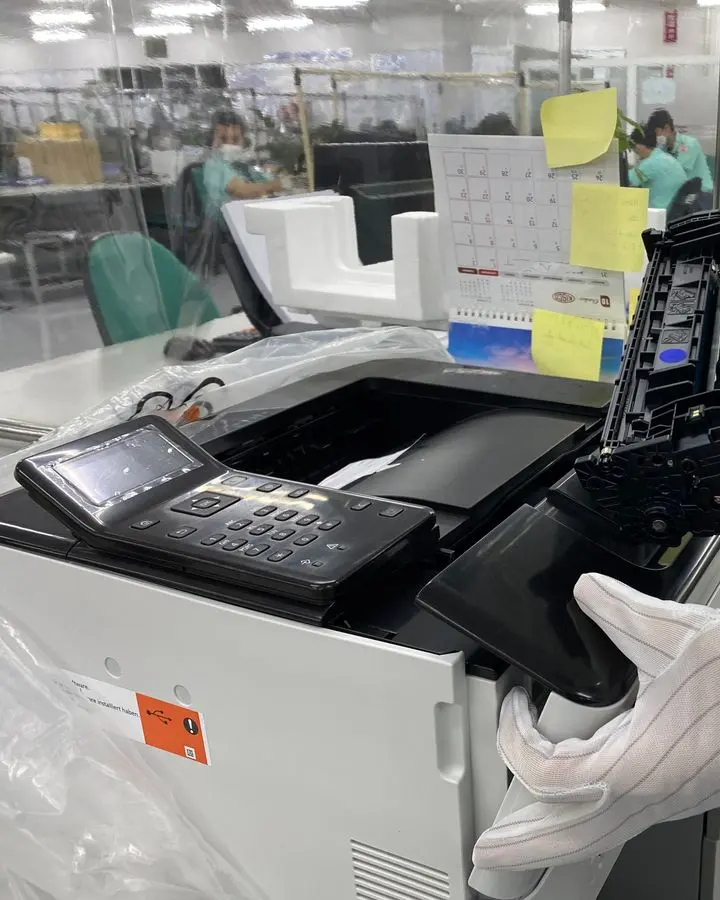
Technician in gloves replacing a toner cartridge in an office printer09 / 18
Printers & office equipment

Print heads and cartridges deducted from stock

Record the fault and the parts used, such as print heads or cartridges. Build quotations from your product list; once approved, open an invoice in one click and accept payment in instalments, with a receipt every time.

Air-conditioning technician in a mask measuring pressure at an outdoor unit10 / 18
Air-con & field service

Queues on the phone, quotes on site

Technicians open their own job queue in the mobile browser, book appointments in the calendar, prepare quotations on site and withdraw parts from stock into the job, without seeing the shop’s money figures.

Technician repairing a red appliance at the workbench11 / 18
Home appliances

Know the parts cost on every invoice

Keep the repair history of each appliance, tie the parts used to the job and see each invoice’s real cost. If the same unit comes back within 90 days, both owner and technician are alerted.

Dome security camera mounted under a metal rail12 / 18
CCTV & networking

Installations tied to the customer’s equipment

Installation and inspection jobs are kept under the customer, together with the equipment installed. Delivery notes can hide prices for on-site handover, and cash-on-delivery collection is supported.

Technician inspecting a wired electronic board on the repair bench13 / 18
Electronics & circuit boards

Same fault within 90 days? You’re alerted

Register equipment by serial number. Technicians record the symptom, cause and fix in the knowledge base for the next person to find. When a board comes back, you see at once what was repaired and when.

Technician in glasses repairing a film camera under a lamp14 / 18
Cameras

Every lens tracked by its own serial

Record camera bodies and lenses as the customer’s equipment, each with its own serial number. Follow every stage of the job, and when it’s waiting on parts or on the customer, the SLA clock pauses.

Technician’s hands assembling or repairing a drone15 / 18
Drones & controllers

Waiting on imported parts? The SLA pauses

Parts that must be imported are recorded on purchase orders and can be received in partial deliveries. While you wait, the job stays visible in the queue and the SLA clock stops counting.

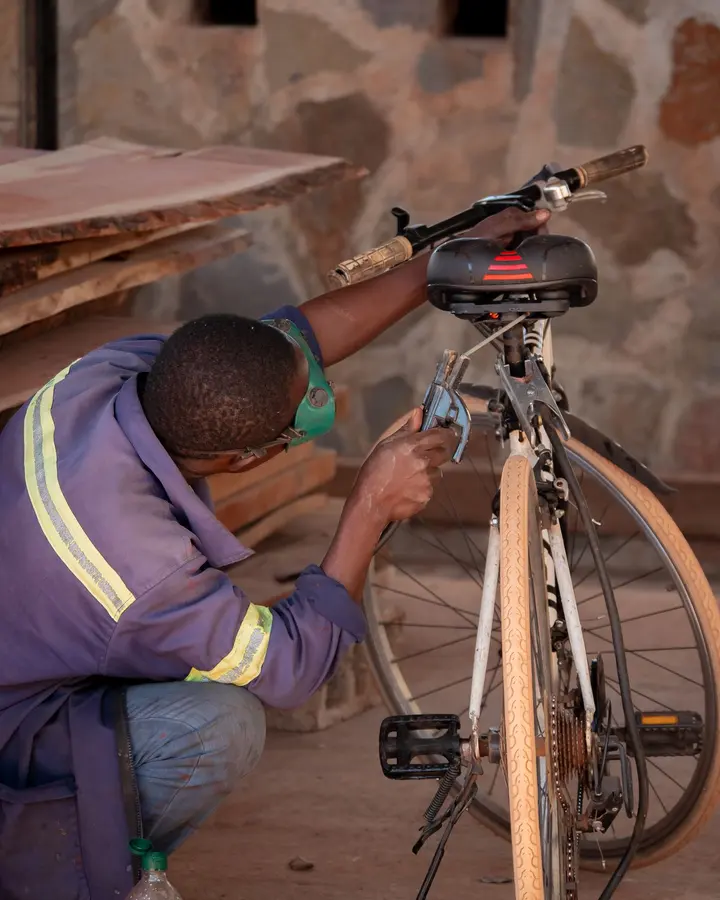
Mechanic adjusting a bicycle in a repair shop16 / 18
Bicycles & small vehicles

Hundreds of small parts, counted without misses

Check jobs in quickly at the counter. Large numbers of small parts are deducted from stock as actually used, low items show on the overview, and a receipt is issued every time you get paid.

Technician using a power drill to repair a tool at the bench17 / 18
Tools & power tools

Labour and parts on a single bill

Put labour and parts on one quotation, and the invoice always matches what the customer approved. See each invoice’s gross profit, and only the owner sees the money figures.

Technician in overalls leaning over a repair at the bench18 / 18
General maintenance

Your own job types and checklists

Name your own job types and checklists. Customers, job tickets, documents, stock and money share one structure with no trade-specific calculators, so it suits shops that take on many kinds of work.

Customer’s tracking link on a phone showing the 4-stage status (interface in Thai)
Customer approved ✓
QT-2026-0001, moved to In repair
Your customers’ experience

No more “how’s my repair?” calls, customers see every step

Send a single link over LINE. Customers open it instantly with no sign-up, see which stage the job is at, the promised date and any quotation awaiting their decision, and approve it themselves so work continues right away. Your shop looks professional from the first link, and customers never see a single line of your internal data.

01
4-stage status + timeline
Updates itself whenever the shop changes the status
02
One-tap price approval
Answer once, with a record that the customer responded
03
Only what they should see
No costs, technician names or internal notes
04
The shop controls the link
Revoke it or issue a new one at any time
For shop owners

Know your real profit before month-end

Invoiced totals aren’t money in the bank. Every figure states its own definition and drills down to the source documents, no black boxes, no numbers that can’t be explained. Close the day and the cash in the drawer matches the system.

Cash received
Receipts − refunds, by payment date
Receivables
Split into not yet due / overdue
Profit per job
Revenue before VAT − parts − labour
Period comparison
Always against a period of equal length
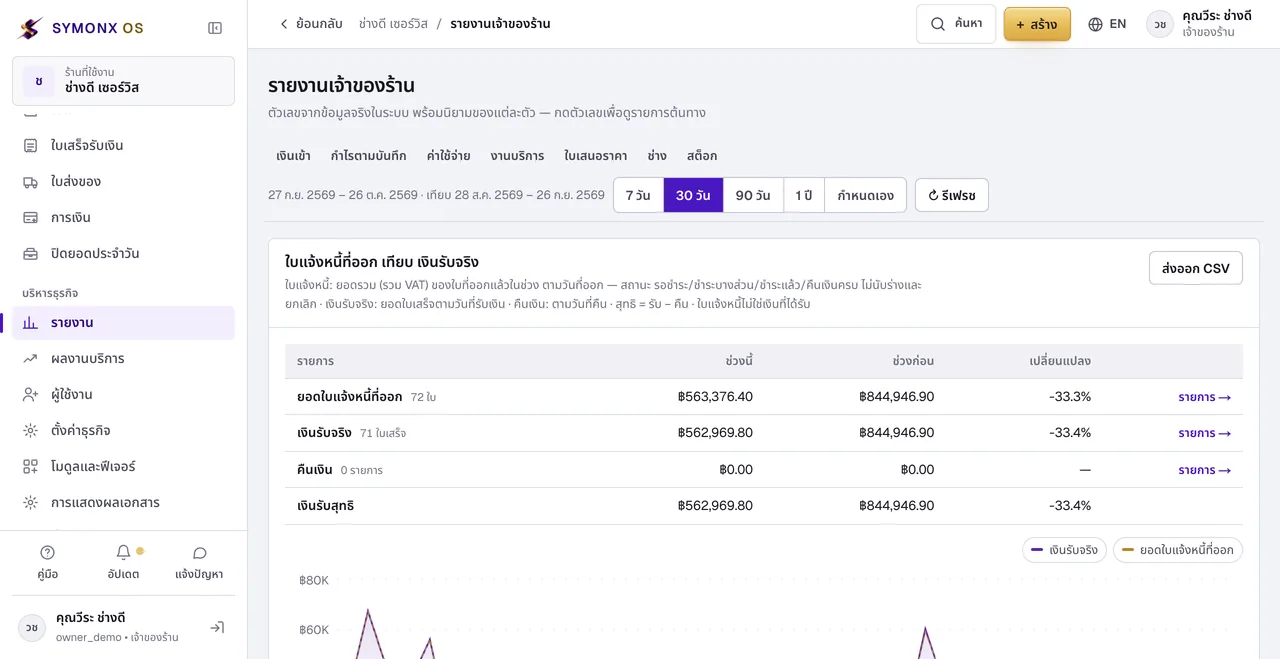
Key metrics: cash received, invoiced total, outstanding receivables, jobs handed over and time from intake to handover (interface in Thai)
Owner report: profit from recorded data and expenses by category (interface in Thai)
Trust, not marketing

Every baht, every record, safe and yours

Shop owners don’t need to know code, but they should know how the system holding their money and customers is built. Everything below is what SYMONX OS does today, with evidence. Read the technical details (Thai)

  • 01Shop isolation across 39 tables

    No other shop can see a single row of your data

    Your customers, jobs, bills and stock are separated per shop all the way down to the database, not merely hidden on screen.

  • 02Duplicate-safe on 5 money paths

    Press “receive payment” twice, still one receipt

    If the connection drops mid-way or someone taps twice, the system merges the duplicate request, so your books never show more than you received.

  • 03Tamper-proof action log

    Edit history no one can delete

    Who changed a price, cancelled a bill or adjusted stock, and when, is recorded permanently. The owner can look back any time.

  • 043 roles, checked on every request

    Technicians see only what they need

    Technicians never see costs, profit or the shop’s money. Permissions are checked on the server on every request, not just by hiding buttons.

  • 05104 test suites, 45 migrations

    Tested before every release

    Every update must pass automated tests covering money, stock, permissions and shop isolation, and data is backed up before any structural change.

  • 06Excel export, full-shop backup

    Your data is yours, take it anytime

    Export to Excel and back up your entire shop yourself whenever you like. If you ever leave, your data isn’t held hostage.

Continuous development: 381 changes in the last 30 days, see What’s new (Thai)

Pricing

One plan. Everything included, no hidden costs.

No tiers to choose from and nothing extra per technician or feature. A small shop can use just what it needs; when you grow, everything is already there. For more questions, see the user guide (Thai).

  • Every feature, from job intake to payment and daily cash closing
  • Job queue, technician scheduling, time targets (SLA), timelines and service performance
  • Executive dashboard and owner reports with period comparison and CSV export
  • Customer equipment, repair history, knowledge base, job templates and checklists
  • Team roles: owner, staff and technician
  • Quotations, invoices, receipts and delivery notes with your shop’s logo
  • Stock, purchasing, payables, and automatic cost and profit
  • File room: folders, search, move and download as ZIP
  • Unlimited Excel export and self-service backups
  • Help with initial setup and questions over LINE
SYMONX OS, all features
฿199/ month

About ฿7 a day

  • 30-day free trial, no card required
  • No setup fee, no lock-in contract
  • Export your data any time, even after you leave
Start free trial

Give your repair shop one place to run everything

Sign up and press “New job”, no setup first. A getting-started checklist walks you through the rest. Try it free for 30 days with no card. If it isn’t for you, simply don’t renew; your data can always be exported to Excel.

SYMONX OS started as the system we use in our own shop every day, taking in devices, billing, chasing payments, counting parts. Every feature came from a real problem at the counter. Good technicians shouldn’t lose their time to piles of paper and chats nobody can find. If you get stuck, message me, I read every message myself.
Rain AkkaratFounder, SYMONX OS

30-day free trial then ฿199/month, no credit card required

Rain Akkarat, founder of SYMONX OS, in technician overalls pointing toward the free-trial button